
需要补充一些信息才能更好地帮你排查:
- EMQX 版本是多少?部署方式是 K8s/Docker/裸机?
- 当前节点规格(CPU/内存/网卡)和节点数?
- 连接数压不上去时,emqx ctl broker 里 connections/max_connections 是多少?监听器里有没有 connection_limit 之类的限制?
- 客户端压测工具/参数是啥(并发、QoS、keepalive)?
麻烦补充一下,谢谢。
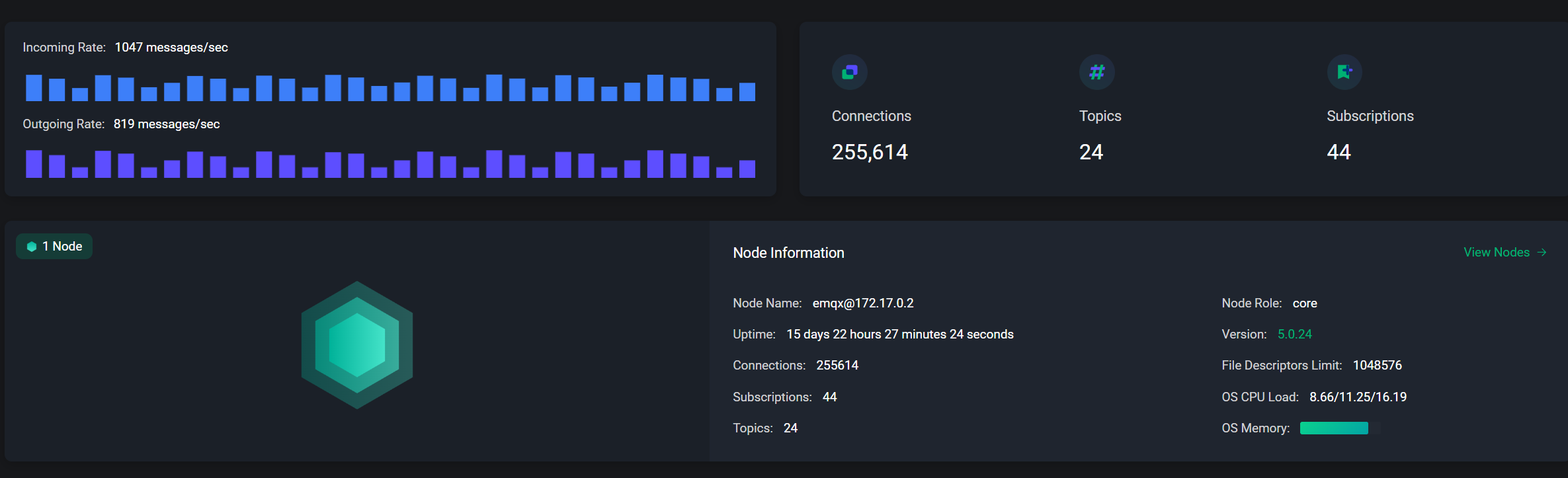
我看了你发的截图,先给结论:现在更像是单节点接入能力/CPU瓶颈,不是文件句柄上限。
图里关键点是:EMQX 5.0.24、1 个节点、连接数 255614、File Descriptors Limit 1048576、CPU Load 8.66/11.25/16.19。
所以先按这个顺序排:
- 先确认有没有碰到监听器限制:
emqx ctl conf show listenersemqx ctl conf show listeners
- 把接入参数调大后再压一次(重启生效):
listeners.tcp.default.acceptors = 64listeners.tcp.default.max_connections = 1024000node.max_ports = 2097152
- 按官方调优项核对 OS 参数(nofile/somaxconn/tcp_max_syn_backlog):系统调优 | EMQX 企业版 文档
- 如果目标是 30 万+ 长连接,建议直接加节点做集群,单节点到这个量级继续堆参数收益会变小。
你再补 4 个信息,我可以直接给你一份可落地配置: - 机器规格(CPU/内存)
- 压测机数量和每台源 IP 数
- 当前 listeners 配置(tcp/ws)
- 压测参数(建连速率、keepalive、clean start、QoS)
非常感谢
emqx版本:5.0.24
部署方式: Docker
节点规格(CPU/内存/网卡):CPU:20核,内存:128G
节点数:1
客户端压测工具:Jemter
参数:5台压测机,每台6万,速率没有控制,keepalive:300
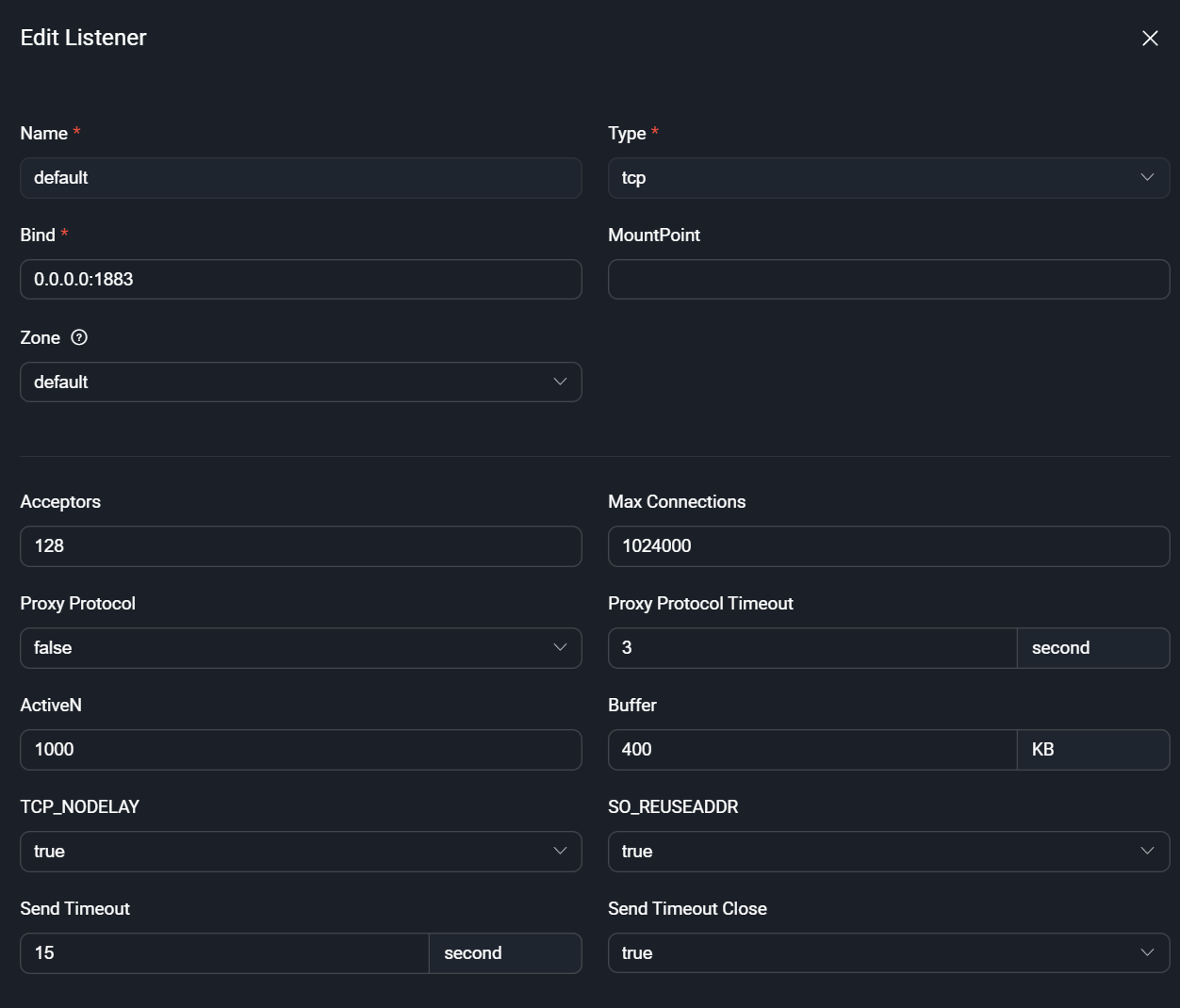
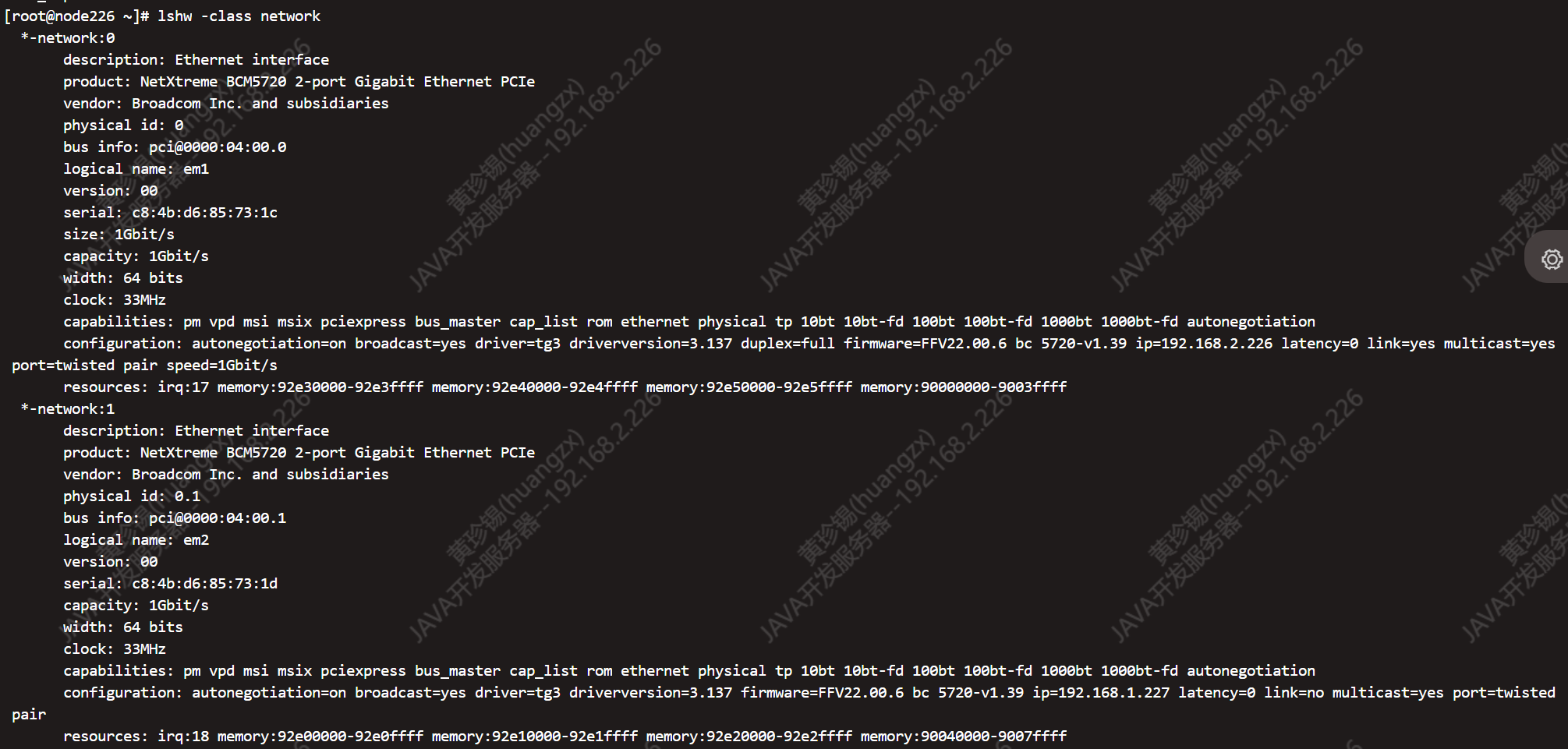

结合你补充的信息,这个量级更像是单节点 CPU/acceptor/OS 参数瓶颈而不是 fd 限制。先把官方系统调优和 EMQX 监听器参数拉齐再压一次:宿主机/容器内 nofile、fs.file-max、somaxconn、tcp_max_syn_backlog、netdev_max_backlog;emqx.conf 里 node.max_ports=2097152,listeners.tcp.default.acceptors=64,listeners.tcp.default.max_connections=1024000。压测侧也要调 ip_local_port_range 和 nofile,否则单机源 IP 6 万已经接近上限,速率不控会把 SYN backlog 打满。若目标 30 万+ 长连接,更稳的是加节点做集群。把 emqx ctl listeners 和 emqx ctl broker 输出贴一下,我按你当前值给具体落地配置。
感谢,## NOTE:
The EMQX configuration is prioritized (overlayed) in the following order:
data/configs/cluster.hocon < etc/emqx.conf < environment variables.
node {
name = “emqx@127.0.0.1”
cookie = “emqxsecretcookie”
data_dir = “data”
}
log {
file_handlers.default {
level = warning
file = “log/emqx.log”
}
}
cluster {
name = emqxcl
discovery_strategy = manual
}
listeners.tcp.default {
bind = “0.0.0.0:1883”
max_connections = 1024000
}
listeners.ssl.default {
bind = “0.0.0.0:8883”
max_connections = 512000
ssl_options {
keyfile = “etc/certs/key.pem”
certfile = “etc/certs/cert.pem”
cacertfile = “etc/certs/cacert.pem”
}
}
listeners.ws.default {
bind = “0.0.0.0:8083”
max_connections = 1024000
websocket.mqtt_path = “/mqtt”
}
listeners.wss.default {
bind = “0.0.0.0:8084”
max_connections = 512000
websocket.mqtt_path = “/mqtt”
ssl_options {
keyfile = “etc/certs/key.pem”
certfile = “etc/certs/cert.pem”
cacertfile = “etc/certs/cacert.pem”
}
}
listeners.quic.default {
enabled = true
bind = “0.0.0.0:14567”
max_connections = 1024000
ssl_options {
verify = verify_none
keyfile = “etc/certs/key.pem”
certfile = “etc/certs/cert.pem”
cacertfile = “etc/certs/cacert.pem”
}
}
dashboard {
listeners.http {
bind = 18083
}
}
authorization {
deny_action = ignore
no_match = allow
cache = { enable = true }
sources = [
{
type = file
enable = true
# This file is immutable to EMQX.
# Once new rules are created from dashboard UI or HTTP API,
# the file ‘data/authz/acl.conf’ is used instead of this one
path = “etc/acl.conf”
}
]
}
看配置里 listeners.*.max_connections 已经拉大,但 listeners.tcp.default.acceptors 和 node.max_ports 没配,Docker/宿主机的 sysctl/nofile 也没贴,这会卡在 acceptor/端口/内核队列上。试试这样:在 emqx.conf 加 listeners.tcp.default.acceptors = 64、node.max_ports = 2097152(按 20C 可先 64 或 128),并确认宿主机/容器里 nofile、fs.file-max、net.core.somaxconn、net.ipv4.tcp_max_syn_backlog、net.core.netdev_max_backlog 已调到官方建议值;压测端也要调 ip_local_port_range 和 nofile,否则单机 6 万连接很容易耗尽端口或打满 SYN backlog。
好的,感谢,我们测下
OK,测完把结果贴一下:连接数峰值/建连速率/失败率,EMQX 的 和 ,宿主机 sysctl 关键项(somaxconn/tcp_max_syn_backlog/netdev_max_backlog)以及压测机 /。acceptors/node.max_ports 生效后若还卡在 25 万,多半需要加节点做集群。
补一下上条被吞的命令:EMQX 的 emqx ctl broker 和 emqx ctl listeners;压测机的 ip_local_port_range/nofile。
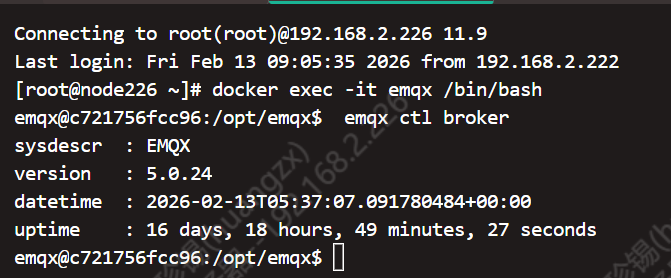
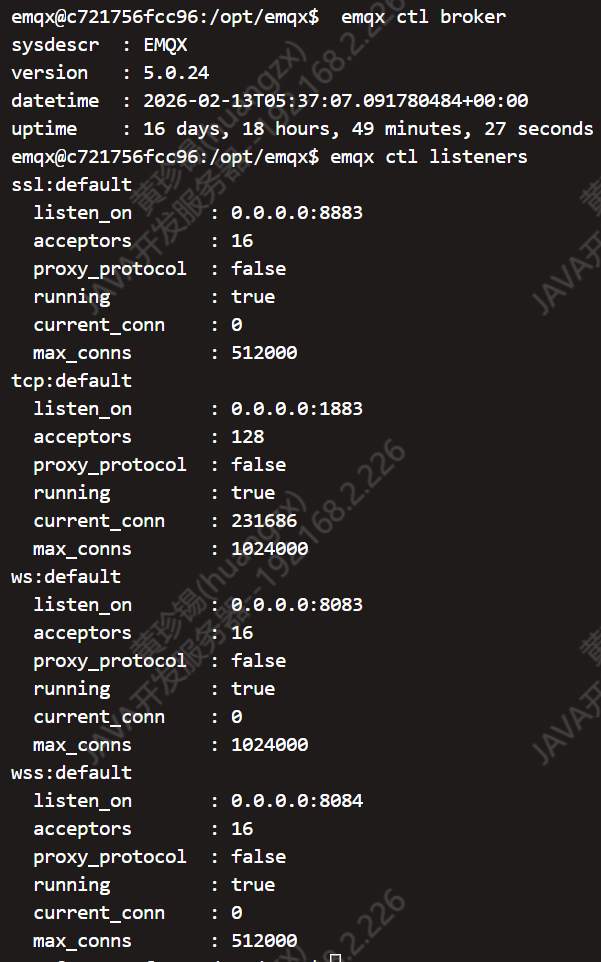
先说结论:现在更像是 acceptor/内核队列/压测端口瓶颈,不是 max_connections。你发的 listeners 是截图,麻烦用文本贴一下:emqx ctl listeners 和 emqx ctl broker。还需要这几个值:宿主机 ulimit -n、sysctl -n net.core.somaxconn net.ipv4.tcp_max_syn_backlog net.core.netdev_max_backlog fs.file-max;压测机 ulimit -n、sysctl -n net.ipv4.ip_local_port_range。如果 listeners.tcp.default.acceptors 和 node.max_ports 还没配,先设 acceptors=64、node.max_ports=2097152 再压一次;建连速率别全速打,建议分段升(比如每秒 5k~10k),否则 SYN backlog 很容易满。